



October 31, 2024
Best AI Photo Apps
By
.avif)
In 2026, AI image-to-video technology is revolutionizing content creation, allowing anyone to transform static images into dynamic video stories. This evolution from still pictures to moving narratives is bridging the gap between photos and films, empowering creators with dynamic video generation at the click of a button. Below, we explore the top 5 platforms leading this shift – each turning photos into motion, depth, or 3D creative assets in unique ways.
Runway ML leverages cutting-edge foundation models (including research from Meta AI) to achieve creative image-to-video generation. It stands out as a Generative Video Playground in the artificial intelligence create video arena, enabling artists to seamlessly blend images into moving, stylistically rich videos. Especially adept at imaginative visuals, Runway specializes in turning static inputs into artful, dynamic video effects that spark creativity.
Key Features:
Use Cases:
Runway ML is popular for experimental and artistic projects. Filmmakers and video editors use it to prototype visuals – for example, generating an AI video backdrop of a “neon city sunset” for a music video or ad. Social media creators rely on Runway for eye-catching B-roll and animated transitions that make TikToks and Reels pop. Its ability to quickly apply wild styles makes it ideal for creative campaigns – marketers can test surreal, attention-grabbing visuals for an advertisement. Additionally, design teams explore brand aesthetics by turning mood-board images into animated concept clips, since Runway can rapidly iterate various looks and color grades. In short, Runway is the playground for turning imaginative ideas and reference images into moving art.
Limitations:
Generative videos from Runway are typically brief. Outputs generally max out around 4–8 seconds long, so creating anything longer requires stitching together multiple clips. The motion it produces is sometimes simplistic or unpredictable – complex sequences may lack the logical consistency of a hand-edited video. There are also usage limits: heavy rendering jobs can incur queue times or consume credits quickly. In practice, Runway is fantastic for concepts and short-form visuals, but less suited for extended, highly polished videos without additional post-production.
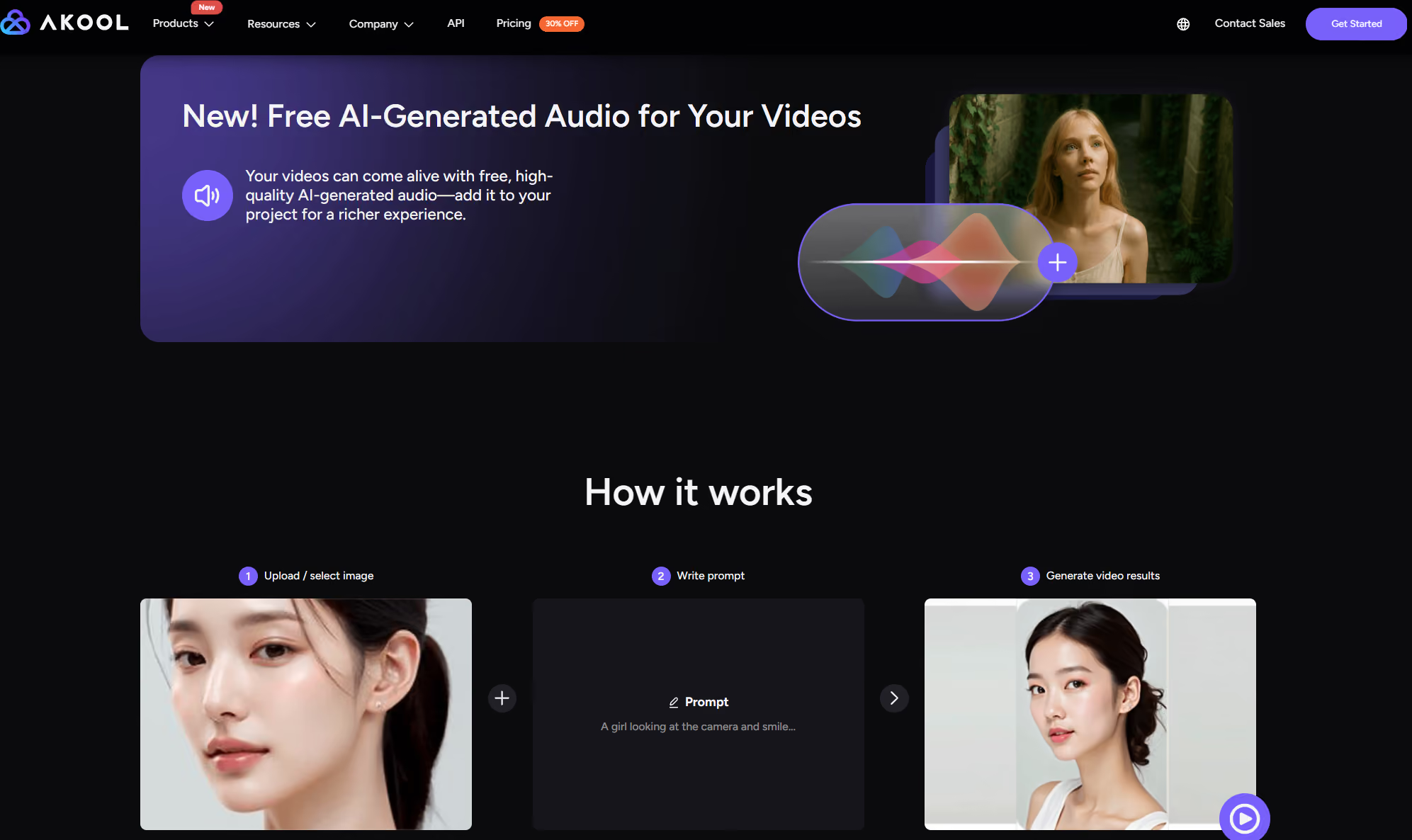
Akool’s deep neural network transforms any static image into a cinema-grade dynamic video, with support for complex scene extension and physics-based motion simulation. It’s redefining the standard in artificial intelligence create video by raising the bar for Image to Video quality and realism.
Key Features:
Use Cases:
Akool shines in scenarios from e-commerce to education. Marketers can convert static product shots into engaging product demo videos with captions and voiceovers – no studio shoot needed. Content creators bring old portraits or historical photos to life as talking, moving characters. From corporate training (turning slides into animated explainers) to social media posts, Akool’s dynamic video generation turns any image into a compelling story. This broad versatility, combined with its physics-based realism, makes it a go-to choice to create AI videos that look film-grade.
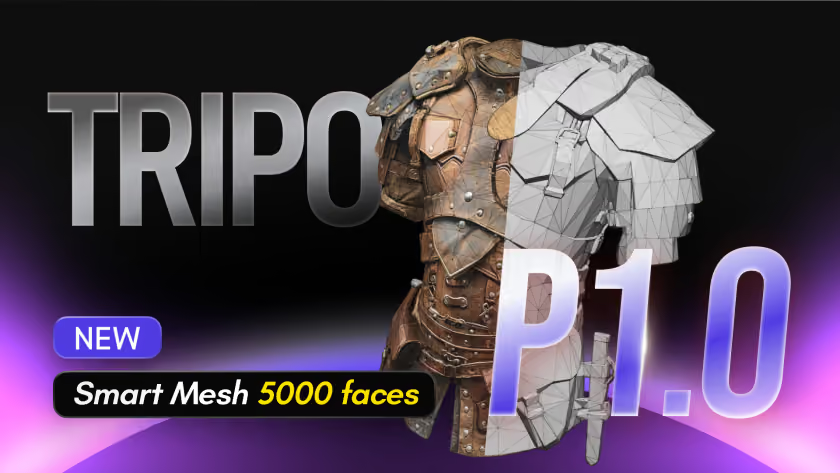
Tripo AI adds a 3D creation layer to the image-to-video conversation. Instead of only animating a photo into a flat clip, Tripo turns images or text prompts into high-quality 3D models that can be used in games, animation, AR/VR experiences, product visualization, prototyping, and 3D printing. For creators building AI videos, Tripo is especially useful when a campaign needs reusable 3D assets before those assets are rendered, animated, or placed into a broader video workflow.
Key Features:
Use Cases:
Tripo AI is ideal for creators who want to transform flat visuals or rough ideas into usable 3D assets. Game developers can quickly generate lighter low-poly props, characters, or environment assets for real-time rendering. Product and marketing teams can use HD 3.1 to explore detailed product concepts, collectibles, and close-up cinematic visuals. Designers can bring generated models into Blender, Maya, Unity, Unreal Engine, Godot, Cocos, and other 3D pipelines for refinement, animation, staging, and rendering. For AI video creators, Tripo helps bridge image generation, 3D asset production, and downstream animation workflows.
Limitations:
Tripo AI is not a traditional image-to-video generator, so users looking for instant cinematic clips, lip-sync avatars, or music-synced animations may still need tools like Akool, Runway, Pika, or Kaiber. Its strength is 3D asset generation and pipeline-ready output, not full video editing. While clean topology and low-poly options reduce cleanup, complex characters, highly detailed close-ups, or assets intended for advanced rigging may still require artist review and manual refinement. Single-image 3D generation can also struggle when the source image lacks hidden angles, clear structure, or enough visual detail, because the system must infer unseen sides of the object.
Pika Labs takes a community-driven approach to artificial intelligence create video. It transforms text or images into high-quality, dynamic short videos with an array of creative effects (with playful names like “Poke It” and “Tear It”). This image to video tool has a strong Discord community that shares templates, ideas, and challenges, making AI video generation feel like a collaborative, evolving playground of visual styles.
Key Features:
Use Cases:
Pika Labs is ideal for rapid, fun content creation. Social media marketers use it to produce engaging micro-videos – for instance, turning a product image into a 5-second animated ad with exploding text and flashy effects. Educators and storytellers can quickly animate illustrations or diagrams, making content more lively for students. Its ease of use and wild effects make it perfect for memes, marketing TikToks, or any scenario where you want to spice up static images into shareable dynamic video generation. From storytellers crafting short animated tales to small businesses jazzing up promo images, Pika’s community-fueled toolkit lowers the barrier to creative video magic.
Limitations:
Pika Labs traditionally traded resolution for speed and ease. Early versions only supported small outputs (as low as 512×512 pixels), and even with recent improvements, it currently caps at 1080p HD – lacking the ultra-high resolution or fine detail of some competitors. Videos are brief (around 10 seconds or less). The focus on fun effects means results can sometimes appear less polished or realistic; Pika is not aimed at physical accuracy (no true physics simulation) but rather at eye-catching style. Also, while the basic features are free to try, heavy usage requires a subscription for more credits and higher quality renders. In short, Pika Labs is unbeatable for quick and quirky image-to-video tasks, but it’s not the choice for lengthy or photo-realistic productions.
Morph Studio pushes image-to-video into the third dimension. This platform can take an image (or a set of images) and reconstruct a pseudo-3D scene, allowing the camera to “move” within the AI-generated video. By bridging generative video with 3D animation, Morph Studio opens up new horizons in artificial intelligence create video – you can turn a single photo into an immersive clip with depth, perspective shifts, and complex motions that feel like a movie. It’s a unique all-in-one tool where static images become dynamic, 3D-like stories in image to video conversion.
Key Features:
Use Cases:
Morph Studio is a boon for filmmakers, game designers, and any creator who wants to visualize scenes in 3D without complex software. Indie filmmakers can pre-visualize a scene by generating a quick 3D animation of a storyboard – moving a camera through concept art to plan shots. Product designers can take a single image of a product and create a rotating 3D promo video, showing it from angles that weren’t even photographed. Educators have used Morph to animate historical images or scientific diagrams, adding depth and motion to otherwise flat materials. Even casual users can have fun: for example, generating a short “3D” travel video from a panoramic photo. Morph’s versatility spans use cases from “be a filmmaker today with generative video models” to everyday visual storytelling. It caters to both amateurs and professionals – anyone who needs an easy way to go from a picture to an animated, multi-scene video with 3D flair is a candidate for Morph Studio.
Limitations:
While Morph Studio’s 3D illusions are impressive, they have their limits. Truly accurate 3D reconstruction usually benefits from multiple images or views – a single 2D photo can only be stretched so far. If you feed only one image, extremely large camera movements or dramatic angle changes may produce distortions or unreal results (the AI has to “hallucinate” what’s behind objects). In practice, Morph often works best with either simple scenes or by using additional reference images to strengthen the depth effect. Additionally, rendering complex 3D-esque videos can be resource-intensive; generating high-resolution, multi-scene videos with intensive style transfers might take longer to process compared to simpler 2D animations. Finally, as an evolving platform, some niche features (like highly detailed human animations or long-duration consistency) are still maturing. Users may need to experiment with prompts and models to get the perfect outcome. Despite these, Morph Studio remains a groundbreaking tool – just one that rewards careful input when pushing the boundaries of its one-image 3D capabilities.
Conclusion
From physics-based motion realism to music-synced animations, these AI tools are transforming how we turn photos into living videos. Each platform has its niche, but Akool's physics engine truly stands out, bringing images into “living stories” with cinematic quality. It offers an unparalleled blend of realism and creativity – essentially Hollywood-grade animation in just a few clicks. If you’re ready to experience the future of content creation, Akool invites you to try its powerful image-to-video tool. Use Akool Free Trial to create AI videos that defy imagination.
Subscribe to stay informed on new Tips, How-tos, News and more!




.avif)